Arcserve Disaster Recovery Solutions for Mid-Sized Enterprises
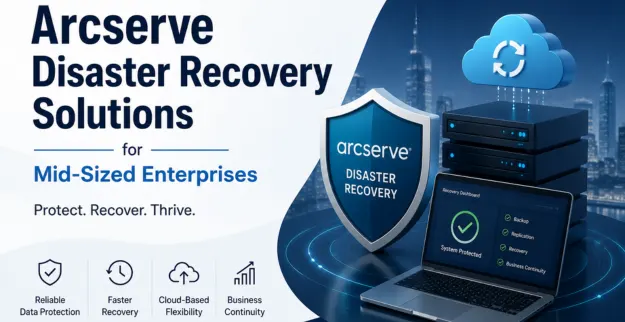
Unexpected system failures, cyberattacks and hardware hiccups can easily mess up everyday business flow and end up causing expensive downtime. Arcserve Disaster Recovery Solutions helps mid-sized enterprises stay in motion, by offering dependable backup and data protection plans, so continuity doesn’t just quietly break.
What is Arcserve?
Arcserve is a broad kind of backup, disaster recovery, and data protection solution, made to help safeguard business critical systems and data. It kind of supports organizations in bouncing back fast from outages, cyber threats, and incidents where data gets lost. You know, the whole point is that recovery can be faster, even when things go sideways.
Arcserve Disaster Recovery Solutions for Mid-Sized Enterprises
1. Fast Disaster Recovery
- ♦ Get everything back in motion soon after failures, servers, apps, and your files.
- ♦ Helps keep downtime low during those unplanned incidents.
- ♦ Backs quicker IT recovery routines, which is kind of critical when time matters.
2. Comprehensive Data Protection
- ♦ Gives stronger cover to company data, like accidental deletion, corruption, and all that kind of stuff that happens.
- ♦ Helps keep info guarded from ransomware attacks too, not just the regular threats.
- ♦ Makes sure the really critical data stays safe and still can be reached when it matters most.
3. Automated Backup Management
- ♦ It runs backup schedules on its own, no real hands-on steps in the middle of it.
- ♦ It cuts down on the administrative burden for IT crews, like less boring busy work.
- ♦ It also makes sure backups happen on a steady basis, regular and consistent, so nothing lags.
4. Business Continuity Support
- ♦ Keep things running in a steady way even when disruptions show up.
- ♦ Assists employees in reaching critical systems fast, you know without the usual delays.
- ♦ Cuts down on revenue loss that happens because of downtime; overall it’s a smoother situation.
5. Cloud Based Recovery Options
- ♦ Supports cloud backup and recovery services.
- ♦ Let's keep an offsite storage location, so you get extra protection.
- ♦ Also helps with disaster readiness, and overall bounce back.
6. Scalable for Growing Businesses
- ♦ It adapts to the changing business needs, even when they kind of shift quickly.
- ♦ It also supports expanding infrastructure and workloads, so the whole setup stays reliable.
- ♦ Good for mid-sized enterprise environments and those in between stages, where growth is steady but not instant.
7. Centralized Backup Monitoring
- ♦ Gives you this single dashboard for backup handling, sort of unified view.
- ♦ It keeps an eye on backup performance and also the recovery state, all in one place.
- ♦ Helps simplify administration and reporting, make life easier for the team.
Features
- ♦ Automated disaster recovery workflows
- ♦ Fast restoration abilities
- ♦ Virtual machine safeguarding
- ♦ Bare-metal recovery backing
- ♦ Disaster recovery in the cloud options
- ♦ A centralized administration console, for sure
- ♦ Ransomware recovery help and assistance
- ♦ Ongoing data protection
- ♦ Recovery testing plus validation
- ♦ Support for multi-site recovery, across locations
Backup System
- ♦ Full backups and incremental backup options
- ♦ Scheduled backups that run automatically
- ♦ Support for on premises backup workflows
- ♦ Cloud backup integration, when you need it offsite
- ♦ Recovery for files and folders, restore what you lost
- ♦ Server image backup, for when a bigger snapshot feels right
- ♦ Database backup protection, keep that structured stuff safer
- ♦ Data deduplication capabilities, so storage isn’t wasted
- ♦ Encrypted backups with strong security safeguards
- ♦ Quick restoration of critical data, get you back faster than expected
Limitations and Benefits
| Benefits | Limitations |
|---|---|
| Reduces business downtime | Initial setup may require planning |
| Improves business continuity | Licensing costs vary by environment |
| Strong data protection features | Advanced features may need technical expertise |
| Supports cloud and on-premises backups | Recovery speed depends on infrastructure |
| Automated backup management | Requires regular monitoring and testing |
| Scalable for business growth | Storage requirements can increase over time |
| Centralized administration | Staff training may be required |
Conclusion:
Arcserve Disaster Recovery Solutions offers reliable backup, disaster recovery and business continuity support for mid-sized enterprises, you know. It comes with strong data protection features and rapid recovery capabilities, so businesses can cut down on downtime and keep things operational in a more resilient way.