AWS Data Center Architecture Explained
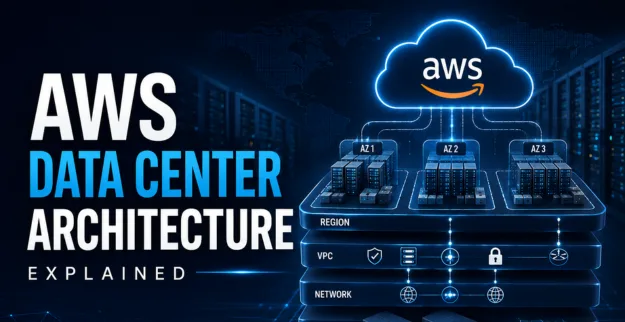
In today’s digital era, most businesses tend to rely on secure but also honestly scalable cloud infrastructure, so things keep going smooth, without too much drama. Amazon Web Services (AWS) brings advanced data centers and AWS Regions across the globe, which helps with consistent uptime and better performance. With that kind of layout, companies can reduce outages, maintain operations steadily, and back up business continuity as a sort of safeguard.
What is AWS Data Center Architecture?
AWS Data Center Architecture is basically the way AWS lays out the whole design, structure, and daily operations framework, so they can deliver secure and reliable cloud services across the globe. AWS blends physical data centers, networking systems, cloud infrastructure, and some advanced security technologies together, to end up with a very high availability environment for companies. It’s kind of like a careful setup, where everything works in tune with everything else, even when demand jumps.
1. AWS Regions
- ♦ These are like geographically spread-out areas, meant for data sovereignty and yeah, lower latency in practice.
- ♦ Each region holds a few Availability Zones (AZs) which helps keep things highly available, so one place failing doesn’t ruin the whole story.
- ♦ Also, it supports disaster recovery and some local compliance requirements in a steadier way, basically.
2. Availability Zones, or AZs
- ♦ Independent data centers, sort of inside the same region, but separate.
- ♦ They’re physically split to reduce the chance of single point failures, so if one place gets weird the rest can still carry on.
- ♦ Usually tied together with low-latency connections, so data replication can happen quickly and without too much waiting.
3. Data Center Facilities
- ♦ Purpose built buildings, with sturdy physical safeguards.
- ♦ They are fitted with fire protection and climate regulation, as you know, to keep things stable.
- ♦ Also has backup power systems plus network links, in a redundant way, so if one path goes bad, another is ready.
4. Network Infrastructure
- ♦ High-speed fiber optics connecting the AZs, and regional zones, kind of like fast lanes.
- ♦ A private network backbone that keeps external internet exposure way down, even more than usual.
- ♦ Secure VPN plus Direct Connect options, so clients can have more direct, controlled pathways.
5. Compute and Storage Hardware
- ♦ We use custom servers, tuned for cloud workloads, kind of like a natural fit.
- ♦ For storage, we rely on long lasting SSDs along with magnetic drives, depending on what each workload needs.
- ♦ The hardware gets refreshed on a regular basis, to keep performance steady, and not let it drift.
6. Security Layers
- ♦ Multi factor access control and constant supervision, kind of you know, always watching the whole thing.
- ♦ Data encryption during transit and while stored, not just one of them but both.
- ♦ Keep alignment with global security standards and their requirements, overall.
7. Cloud Infrastructure Management
- ♦ You set up resources automatically, also scaling happens on its own, so it kind of keeps pace with demand.
- ♦ There are monitoring tools in place to spot and fix hardware issues before they become a problem; it’s more or less proactive.
- ♦ Plus, regular updates and patch management that aim to happen without downtime, so services don’t really get interrupted, not even briefly.
How AWS data centers kind of work
- ♦ User requests get routed to the closest AWS region, more or less.
- ♦ Load balancers spread traffic across AZs, not just one place.
- ♦ Compute instances to handle the workloads while keeping things secure.
- ♦ Data ends up stored in a redundant way across multiple AZs.
- ♦ Constant health checks help keep the service up and running.
- ♦ If an AZ ever fails, failover procedures kick in right away.
- ♦ Customers therefore get scalable, dependable cloud services in a pretty smooth manner.
Benefits
- ♦ You get an infrastructure that’s Highly available, and it tends to be fault-tolerant too.
- ♦ There’s also Global reach, so you can serve customers anywhere, like pretty much everywhere.
- ♦ Plus, the security and compliance framework is strong, well aligned with expectations.
- ♦ Scaling is flexible, which helps when the workload demands change a bit, or a lot.
- ♦ And finally, cloud solutions are often cost-effective, which means less physical IT needs to deal with, which is kind of the point.
Use cases and real time examples
- ♦ Construction firms keep blueprints across AWS regions so people can grab them fast.
- ♦ Facility centers rely on cloud monitoring tools that are hosted in AWS data centers, quite handy for ongoing upkeep.
- ♦ Consulting companies do number crunching on huge datasets using scalable AWS resources—more elasticity, less friction.
- ♦ Interior firms run their design software in cloud environments, which cuts down on local hardware costs and keeps things moving.
Conclusion:
AWS data center architecture makes sure the setup is resilient, protected, and quick for cloud infrastructure to spread across multiple global regions. In the world of construction, facilities, and kind of site focused companies, using AWS can lead to smoother day-to-day ops and scalable technology options, which feels like a lot less hassle overall.