Introduction
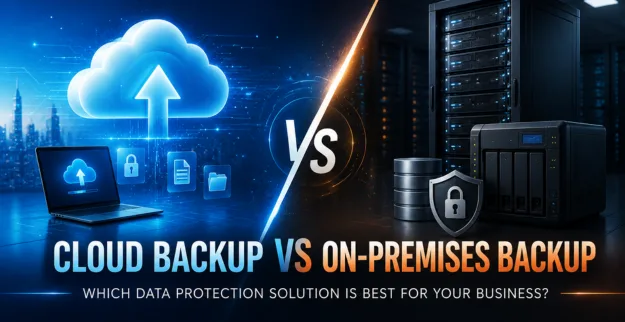
Reliable business backup is kind of essential for protecting important files applications and business data from accidental loss hardware failure or even cyber threats. Picking Cloud Backup versus On-Premises Backup can feel a bit confusing, because it really depends on your business needs budget security requirements and your existing IT infrastructure.
What is Cloud Backup?
Cloud Backup basically keeps your business data secure on remote cloud servers, and those servers are looked after by a backup provider for sort of thing.
It also gives you off-site data protection that is convenient, plus scalability, and you can reach backups via an internet connection, whenever you need it.
What is an On-Premises Backup?
On-premises backup keeps backup data on servers, NAS devices, or other storage systems that live inside your own company environment.
This setup gives businesses more immediate control over their backup infrastructure, the storage side, and the full recovery process, all in one place.
Cloud Backup vs On-Premises Backup: Comparison
| Feature | Cloud Backup | On-Premises Backup |
|---|---|---|
| Storage | Remote cloud | Local infrastructure |
| Accessibility | Internet-based | Local network |
| Scalability | Easy to expand | Requires additional hardware |
| Initial Cost | Lower hardware investment | Higher hardware investment |
| Maintenance | Managed by provider | Managed by your IT team |
| Disaster Protection | Strong off-site protection | Depends on backup location |
Pros of Cloud Backup
- ♦ It gives off-site shielding for physical disasters, knowing the kind that messes everything up.
- ♦ It is also kind of easy to scale when business data grows, because you just add more storage or capacity.
- ♦ There is less need for hardware and the whole maintenance routine, not to mention fewer replacement headaches.
- ♦ You can do backups and recovery from far away too, which is useful when staff are not on-site.
- ♦ Cloud backup can be a solid choice for companies with low IT manpower or limited technical support.
Cons of Cloud Backup
- ♦ It really needs a reliable internet connection.
- ♦ There can be ongoing subscription costs too, depending on the plan.
- ♦ Big data recovery might take longer, especially with weaker bandwidth or slow speeds.
- ♦ Security is partly on the cloud provider, and the way it is set up, configuration is wise.
Pros for On-Premises Backup
- ♦ You get fast local backup and a clean recovery flow, on the same side, so it feels immediate.
- ♦ Also, there is complete control over the backup infrastructure; you manage it basically starting to finish.
- ♦ There is no real reliance on internet access for local recovery, so if the network is acting up, your data is still reachable.
- ♦ This is a good fit for businesses that already have their IT infrastructure in place, like the basics are already covered.
Cons of having an on-premises backup
- ♦ It needs hardware, storage, and a bit of ongoing care, as you know, daily maintenance.
- ♦ If something goes wrong with the hardware, backup availability can suffer or just go down when you least expect it.
- ♦ And physical disasters can hit both the main system and the backup place, so you lose both at the same time.
- ♦ Plus, scaling storage is not always smooth; it can mean extra investment and planning, even when you thought you were already set.
Recommendation
Choose Cloud Backup if you want flexible, scalable, and off-site Backup Solutions that still feel kind of simple to manage.
Choose On-Premises Backup when fast local recovery matters most, and when direct control of the infrastructure is your priority, not just a nice idea.
If you need stronger Data Protection, a hybrid backup approach can help, meaning you use both local backups and cloud backups, so the resilience is there even when one side is under pressure.
Use Cases:
Cloud Backup
- ♦ Construction companies with multiple project locations, who just need everything to be kept safe.
- ♦ Consulting firms with remote employees, because nobody wants to be stuck in the office all day.
- ♦ Businesses require off-site disaster recovery, like when the worst timing happens.
- ♦ Companies with limited in-house IT resources, and yeah, that matters more than people think.
On- Premises Backup
- ♦ For offices that need a quick local data rescue, you know like recovering fast if something goes wrong.
- ♦ Good for businesses with dedicated IT infrastructure and that kind of in-house setup.
- ♦ Ideal for companies that manage big amounts of data, especially stuff that gets used a lot, day to day.
- ♦ For organizations that want more direct oversight over their backup storage and not leave it entirely elsewhere.
Constraints
- ♦ Internet bandwidth can mess with cloud backup and recovery, sometimes more than people expect.
- ♦ Local backup needs enough storage capacity, plain and simple; if not, you end up chasing your tail.
- ♦ Backup systems really have to be regularly monitored and also tested, otherwise you think everything works, but it doesn’t work.
- ♦ Businesses should think through retention along with security, compliance, and even the recovery side of things, all together, not only one piece.
Conclusion:
Theres no single kind of backup solution that really fits every business. Cloud Backup vs On Premises Backup should be looked at, based on your data, the infrastructure you already have, budget constraints, security posture, and your recovery requirements.
The best Business Backup approach, kind of helps safeguard the critical info and keeps business continuity working, even when things go sideways.