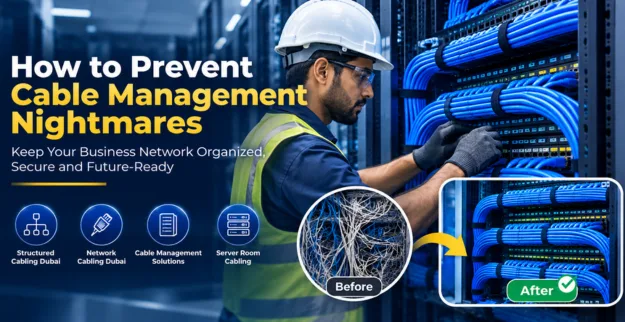
How to Prevent Cable Management Nightmares
01 August, 2026
Jai Krishnan
Introduction:
Bad cable handling can cause downtime, create safety hazards, and make
maintenance costs go up. With proper planning, you can keep your business
network tidy, kind of self-aware, more secure, and still simple to
maintain.
Usual Cable Handling Problems
♦ Cables end up tangled and are just not organized at all.
♦ It becomes a bit hard to figure out which network connection goes where,
you know.
♦ There is also poor airflow in the server rooms, which is never great.
♦ Network disruptions happen pretty often, especially when the cable gets
damaged.
♦ Loose cables can turn into a real safety hazard, like something tripping
or snagging.
♦ And of course there is limited space for future network growth, so
everything feels cramped.
♦ Maintenance and troubleshooting start taking way longer than they should,
honestly.
How to Prevent Cable Management Nightmares:
1. Plan Your Cabling Layout Properly
♦ Before you start installing, make sure you create a cabling plan that’s
pretty structured, but not over thought.
♦ It’s a good idea to allocate separate pathways for power and data cables,
so they dont interfere later.
♦ Also leave some usable space for future upgrades and expansions, because
requirements can change faster than you expect.
2. Use Structured Cabling Solutions
♦ Try to follow Structured Cabling Dubai standards for an organized setup,
really it helps in day-to-day use.
♦ Pick high-quality cables that fit business environments, you know, the
usual loads and all.
♦ Also keep cable paths consistent across the office, so nothing looks
random or tangled later.
3. Label Every Cable Clearly
♦ Make sure you label both ends of each cable, so it is easy identification
later.
♦ Try color coding for different network connections, so you don't mix
anything up.
♦ Also keep the documentation updated for every cable layout, like right
away when you change something.
4. Install Proper Cable Management Accessories
♦ Maybe use cable trays, ducts and organizers, whatever fits the space.
♦ Secure those wires with cable ties and Velcro straps, and don't let them
hang loose.
♦ Keep the cables away from sharp turns or bending and protect them from
physical wear and damage.
5. Organize Those Server Room Cables
♦ Try to keep the rack setups looking clean in the server room, not just
kind of ok, you know.
♦ Make sure network leads, power cables, and the backup lines are clearly
kept apart.
♦ Also, don’t forget airflow, for networking equipment especially, keep it
moving so everything doesn’t heat up too much.
6. Schedule Regular Cable Maintenance
♦ Try to do periodic cable inspections and keep an eye on the status.
♦ If you see damaged cables or outdated parts, swap them out fairly
promptly.
♦ Also make sure during each maintenance check that every cable connection
is verified and properly set in place.
7. Work with Pro Network Cabling People
♦ Pick a knowledgeable Network Cabling Dubai provider, make sure they have
real experience.
♦ See that each installation sticks to industry standards; you know the
usual rules and safety practices too.
♦ Try to get a cable management solution that can expand later, so the
setup stays useful when your needs change.
Steps to Help Avoid Cable Management Problems
♦ Start with a cable management assessment, check the current layout a bit
more carefully.
♦ Then design a structured cabling plan, based on what you actually need,
not only what you think.
♦ Use cable labels, and cable organizers to keep things aligned and less
tangled later.
♦ Keep up with proper server room cabling practices. Not just when something
breaks.
♦ Do routine cable inspections, look for wear, looseness, and that kind of
quiet trouble.
♦ Upgrade damaged or obsolete cables, replacing them sooner rather than
after it gets worse.
♦ Document every network connection, so nothing stays "mysteriously
connected" for too long.
Causes of Cable Management Problems
♦ Cable planning that was never really done at installation.
♦ Bad ways of routing the cables through the path, basically.
♦ Network cables that are not labeled.
♦ Server racks that are overcrowded, too stuffed.
♦ Maintenance habits are not very good.
♦ Low-quality cabling materials, honestly.
♦ Network expansions that were not planned in advance.
Conclusion:
Good cable management improves the way the network behaves, boosts workplace
safety, and keeps system reliability steady. Putting money into orderly
cabling means you end up saving time later, also it can lower the chance of
annoying operational troubles, and problems showing up unexpectedly.