Relocating Your Office? Avoid IT Disasters with a Professional IT Relocation Service in Dubai
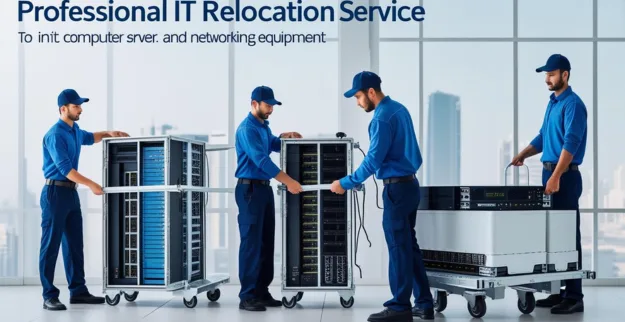
Introduction
Moving to a new office is an important milestone for any business; whether it be growing into a bigger space or moving to a new location that is more strategic. When you relocate your office there is a lot more involved than just moving the furniture and the equipment. When you relocate your office, your IT systems, including your servers, your network devices, your computers, your telecommunications and communication systems, and your critical business data, need to be moved in a secure and efficient manner to ensure that you do not have any downtime or interruptions to your operations.
A poorly planned relocation can lead to data being lost, connectivity problems, equipment being damaged, and serious productivity loss - all of which are reasons that many businesses in the UAE use professional IT relocation services from Dubai to ensure a seamless transition.
Abiding Technical Services LLC assists organizations with relocating their IT systems with minimal downtime, maximum security, and full continuity of operations. Our expertise includes server solutions, network infrastructure solutions, structured cabling services, and secure business IT relocation support.
What is IT Relocation?
IT relocation, also called IT Move, is the process of planning, disconnecting, moving and re-installing and testing an organization’s technological infrastructure when they move to a new location.
An IT relocation project typically includes:
- ♦ server relocation
- ♦ network relocation
- ♦ structured cabling migration
- ♦ workstation relocation
- ♦ data back-up/recovery
- ♦ Internet and telecom set up
- ♦ Testing and optimizing the IT infrastructure
Unlike a regular office move, IT relocation requires technical ability to make sure that everything works after the move is complete.
Why Professional IT Relocation Is Important
In today's world, technology is a critical component of how modern businesses function. Downtime for even a few hours will have a significant impact on productivity, revenue, and customer service.
Relocation services can assist a business in several ways:
- ♦ Reduce operational downtime.
- ♦ Safeguard sensitive data.
- ♦ Handle equipment properly.
- ♦ Reduce risks associated with relocating.
- ♦ Quickly restore systems.
- ♦ Maintain business continuity.
Having a structured relocation plan means that employees can quickly return to work while minimizing technical issues.
Common Challenges During Office IT Relocation
1. Unplanned Downtime
Without an appropriate relocation plan, employees may be without access to vital applications, email systems and business data. An adequate and professionally planned IT relocation will create an appropriate migration plan for the relocation of those systems and their restoration.
2. Data Loss Risks
Servers and storage devices holding critical business data can be damaged during transport. Pre-planning appropriate backup solutions and ensuring your data is secured can help to protect your company's most valuable asset: its data. Implementing reliable data backup solutions before relocation can significantly reduce risks.
3. Network Connectivity Issues
Poor cable management and documentation can cause connectivity issues during and after relocating. Professional engineers will properly label, document, reinstall to ensure reliable and dependable network connectivity through properly designed network solutions and structured cabling systems.
4. Relocation Risks of Servers
Servers are very sensitive devices and should be handled with care during transport. By utilizing the services of a professional server relocation company, you ensure the server will be protected throughout the entire transportation process.
5. Delayed Deployment of Systems
Businesses often underestimate the amount of time it takes to reinstall workstations, printers, VoIP systems and network equipment. Utilizing experienced IT relocation specialists will provide a streamlined installation and testing process to help limit delays in redeployment of these systems.
IT Relocation Checklist (the Essential Requirements)
Before you undergo the process of moving your business premises, be sure to carry out the following items on this checklist.
1. Evaluate Your IT Infrastructure
Make sure you have detailed records of your:
- ♦ Servers
- ♦ Switches
- ♦ Firewalls
- ♦ Computers
- ♦ Printers
- ♦ Telecommunications equipment
- ♦ Network connections
2. Back-Up Your Key Business Data
You need to back-up the following critical data from your business:
- ♦ Full backup of all server data
- ♦ Cloud back up of all server data
- ♦ Back up of all database information
- ♦ Back up of all email accounts
3. Confirm Your Internet is Working Prior to the Move
You should arrange your internet services to be ready before the actual move so that you will be able to connect without delays.
4. Label Your Equipment and Cabling
Use labels to identify equipment and network cables. It will make things easier during the process of reinstalling and troubleshooting.
5. Develop an IT Re-Location Schedule
You should schedule all activities to occur on weekends or when you are not open for business if you can.
6. Test Equipment After Your Move
You should test the following equipment once the relocation is complete:
- ♦ Network Performance
- ♦ Email Systems
- ♦ Internet Access
- ♦ Printers
- ♦ Applications
- ♦ Security Systems
What is the Estimated Cost of Moving IT to Dubai
The cost to move your IT will depend on:
- ♦ How many Employees
- ♦ How much Equipment
- ♦ How many Servers
- ♦ The Distance Between Locations
- ♦ Cable Requirements
- ♦ Internet Setup Needs
- ♦ Security Infrastructure Complexity
Every company has different needs; therefore, a professional assessment must be conducted before planning to move your IT.
Frequently Asked Questions
1. How long will it take to relocate an IT department?
On average, it takes between 1 - 3 days to complete an IT relocation depending on the complexity of the infrastructure.
2. Will my data still be safe if I relocate my servers?
Yes, if you have taken professional backup/restore procedures and handled the servers properly during transport you have a good chance of not losing any data.
3. Should I have my internet service set up before moving?
Yes, it is important that all internet and telecom services are activated prior to your move to avoid delays.
4. What are the benefits of hiring a professional IT relocation team?
Using a professional IT relocation company will significantly reduce your downtime, help protect your business data, and guarantee that all systems will be fully operational as soon as possible following an IT relocation.
5. What should I back up prior to relocating my IT department?
Prior to your IT relocation you must back up your servers, databases, emails, applications & critical business files.
Conclusion
Business relocation is a major concern because it involves a lot more than just moving furniture and boxes. Proper planning, engineering, relocation of equipment (like servers), structured cabling, network deployment and data storage solutions, among others, must be done systematically to avoid disruption to the company's operations post move-in day.
Utilising an experienced business relocating company in Dubai will allow your business to reduce downtime, secure sensitive data and smoothly transfer into your new work environment.
Whether your business is moving from a small office or an extremely large corporate environment, having a professionally managed IT relocation strategy will ensure that your business is able to continue to operate efficiently as normal prior to, during and after becoming physically located in its new premises.