Introduction
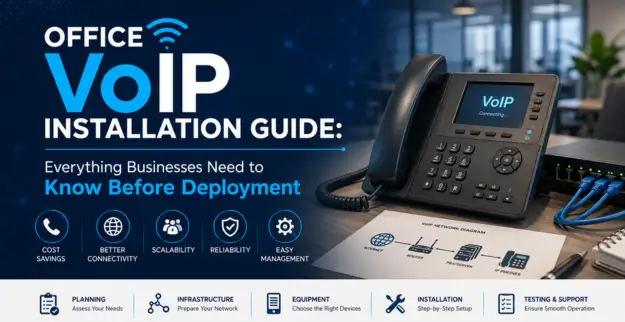
A dependable office call system really helps businesses talk smoothly with customers, coworkers, and suppliers. This guide tries to lay out the main actions that companies should think about before they roll out a more modern VoIP setup.
What is VoIP?
VoIP (Voice over Internet Protocol) lets businesses make and take calls using an internet connection, rather than those older phone lines, you know. It also gives teams a more adaptable approach, scaling up when needed, and it tends to be a cost-effective way to communicate in modern offices.
VoIP Basics
- Internet Based Calling: Voice conversations go through the business network and then the internet, basically.
- IP Telephony: It lets you place calls using IP phones, plus computers, and also compatible mobile gadgets.
- Business VoIP: This usually comes with practical extras like extensions, call diversion, voicemail, and auto attendants.
- Scalability: As the company grows, you can tack on new users and extension points, without too much fuss.
- Centralized Management: The phone system can be managed and even watched from one central platform or dashboard, convenient.
Guidelines for VoIP Installation
1. Assess Business Communication Needs
- Figure out the number of staff, and the needed extensions.
- Also, look at the call traffic, what departments are involved, and what the users truly require.
- Then plan things like call transfer, voicemail, and an auto attendant, kind of like a simple receptionist system.
2. Check Network Infrastructure
- Make sure the network can carry voice traffic reliable and not start dropping it midway.
- Look into switches, routers, cabling, and internet bandwidth, because the whole thing can get jittery if it’s underpowered.
- Pick the right kinds of network equipment too, so the call quality stays stable, consistent, and not all over the place.
3. Pick the Correct VoIP system
- Go for a business VoIP setup based on your company size, and what you actually need day to day.
- Make sure the IP phones are compatible, plus all the support equipment is right there too with it, so nothing feels mismatched or half ready.
- Also take scaling into account, for when you add more employees, or open another office, because growing should be smooth, not a scramble.
4. Set up Quality of Service
- Try to make voice traffic; you know more important than the other, less critical traffic.
- Then configure Quality of Service (QoS) on the right network equipment; whatever model fits the setup.
- After that keep an eye on latency, jitter, and packet loss, because without that it gets harder to keep the calls clear.
5. Configure Extensions and Features
- Set up some add-ons (extensions) for employees and also for each department.
- Handle call forwarding, voicemail, IVR, and those hunt groups. It should sort of match what the business expects, you know.
- Then set user permissions, and also the calling rules, based on those needs.
6. Test Before Deployment
- Do some internal and external trials before you go live, you know, just to be safe.
- Look at call quality across departments and on different devices.
- Also confirm your backup connection works and that all the essential phone system features are actually there.
Requirements
- You need a dependable high speed internet connection, that actually keeps working.
- Also, a business level router, firewall, plus network switches that are built for real environments.
- You’ll want compatible IP phones, or devices that are already VoIP enabled.
- Structured cabling throughout the place and, not less important, enough power availability too.
- Lastly, a VoIP compatible phone system, or a cloud-based service, either one works.
Security
- Use strong, not-to-easy passwords for your VoIP accounts and also for admin level access.
- Keep IP phones, PBX platforms, and general network devices up to date, like patching them when they drop.
- Set firewall rules that limit access from unknown directions, unauthorized stuff, you know.
- Use encryption where it’s available, for voice and for signaling too.
- Also keep an eye on call logs, watching for weird patterns or suspicious activity that stands out.
Think before you start installing
- First count how many users and which extensions you need.
- Also look at the existing network and how good the cabling actually is, like whether it’s still solid or already showing issues.
- Then check your internet bandwidth and how stable the connection tends to be, because reliability really matters.
- Don’t forget the calling features and the integrations you want, such as any systems you need to tie in with.
- Consider future expansion too, including extra office locations, or even more teams later.
- And of course, plan the budget for installation, devices, licensing, plus ongoing maintenance costs, not just the initial setup.
Best Practices
- Use dedicated VLANs for voice traffic when it makes sense for your setup.
- Enable QoS, so voice communication gets prioritized most of the time.
- Keep the phone system firmware and its software updated, don’t let it drift.
- Try to maintain documentation of extensions and your network configurations, even if it’s a bit messy at first.
- Regularly back up the important VoIP system configurations, just in case something odd happens.
- Monitor call quality and system performance continuously.
Problems and Solutions
| Problem | Possible Cause | Solution |
|---|---|---|
| Poor call quality | Network congestion | Configure QoS and improve bandwidth |
| Dropped calls | Unstable internet | Check connectivity and ISP performance |
| Voice delay | High network latency | Optimize routing and network traffic |
| Echo during calls | Device or network configuration | Check handset, headset, and VoIP settings |
| Phone not registering | Incorrect credentials or network issue | Verify account and network configuration |
| One-way audio | Firewall/NAT configuration | Review firewall and VoIP settings |
Conclusion
A well-prepped VoIP setup can give you dependable communication, more flexibility, and easier day-to-day control for modern organizations. But still, it starts with preparing the network, then choosing the most fitting Office Phone System, and keeping to security plus rollout best practices. When those steps are put in place, the end result tends to be steady for IP Telephony that actually works in real life.