QNAP NAS vs Traditional File Server – Which One Should You Choose?
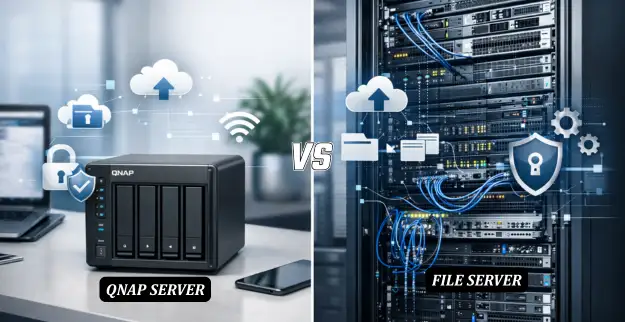
QNAP NAS (Network-Attached Storage) is a network storage device specifically tailored for storing your data, and this device connects to your network, enabling multiple users to share files simultaneously.
Traditional File Servers, however, are computer systems designated for storing files. These servers require higher IT management complexity and are traditionally housed in server rooms.
Both solutions perform the same function of storing data but differ in performance characteristics, scalability, security, and cost.
1. Performance & Speed Comparison
QNAP NAS - Optimized for File Sharing and Streaming: NAS devices allow quick access to files on the network, especially when equipped with SSD caches and high-speed LAN connections, making them ideal for businesses needing non-stop file access.
Traditional File Server: Provides high-performance capabilities for large-scale applications with high-computing requirements or complex processing scenarios. Speed depends on server configuration.
2. Scalability & Flexibility
QNAP NAS: Highly scalable—you can add more disks as requirements grow. Supports cloud and hybrid services for modern storage needs.
Traditional File Servers: Scalability requires hardware upgrades or adding servers, which can be costly and challenging. Less flexible compared to NAS systems.
3. Security & Data Protection
QNAP NAS: Offers encryption, RAID configurations, snapshot backups, and remote access controls, making it highly secure against unauthorized access or data loss.
Traditional File Server: Security depends on staff skills and installed software. Very secure but requires more work and investment to match NAS-level protection.
4. Cost & Maintenance
QNAP NAS: Lower initial setup costs, reduced maintenance, and suitable for SMBs or organizations preferring plug-and-play solutions.
Traditional File Server: Higher initial costs (hardware, licenses), IT management overhead, and possible frequent equipment upgrades.
QNAP NAS vs Traditional File Server: Feature Comparison
| Feature | QNAP NAS | Traditional File Server |
|---|---|---|
| Performance | High-speed network access, SSD caching | Strong enterprise-level processing, depends on hardware |
| Scalability | Easy to expand storage, cloud integration | Requires hardware upgrades, less flexible |
| Security | Built-in encryption, RAID, snapshots | Depends on IT setup, requires additional tools |
| Cost | Lower initial cost, minimal maintenance | Higher upfront and ongoing costs |
| Management | User-friendly interface, minimal IT expertise | Requires IT professionals |
| Remote Access | Built-in remote access and cloud sync | Possible but requires configuration and VPNs |
Conclusion: Which to Choose?
If your business requires ease of use, scalability, and cost efficiency, QNAP NAS is the more suitable choice. Modern features include remote access, cloud integration, and solid security with minimal IT management overhead.
A traditional file server may still suffice for organizations needing enterprise-level performance for complex applications and with a dedicated IT team in place.
Ultimately, the best choice depends on your business size, budget, and growth plans. At Abiding Technical Services LLC, we provide expert guidance to help you choose and implement the storage solution best suited for your needs.