10 Common Structured Cabling Mistakes That Can Impact Business Network Performance
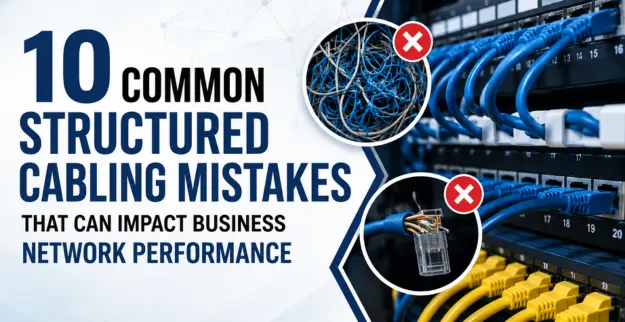
Introduction:
A solid business network is kind of starting with the right Structured Cabling Installation, and a good plan for the cable system too. Try not to make those common Structured Cabling Mistakes, because when you slip up, you end up with slower connections, less stability, and a weaker Office Network Infrastructure.
Importance of Proper Structured Cabling
- ♦ Improves network speed and reliability, more stable.
- ♦ Helps reduce downtime and those annoying connection issues.
- ♦ It makes future network upgrades easier, faster planning.
- ♦ Supports business growth, plus new devices arriving later.
- ♦ Also, keeps the whole thing organized, like a tidy network cabling system.
10 Common Structured Cabling Mistakes with Solution:
1. Bad cabling design and kind of rushed planning
Solution: Before any installation, plan the cable paths, where the equipment will land, overall capacity, and the likely expansion later.
2. Using the wrong cable kind
♦ Solution: Choose the right cable category plus its specifications based on what the network actually needs.
3. Too Much Cable Length
♦ Solution: plan smarter cable pathways and try to keep every cable run within the limits that are recommended.
4. Improper Cable Termination
Solution: Use proper termination methods and test every connection after installation, just to be safe.
5. Weak Cable Organization
Solution: Go for cable trays, add clear labels, use patch panels, and generally keep a well-ordered cable management system in place.
6. Overlooking Electromagnetic Interference
Solution: Keep a proper distance from electrical sources and if it's needed use proper shielding too.
7. Don’t Label Network Cables
Solution: Label both ends of each cable clearly, then keep consistent documentation, so nothing turns into a mystery later.
8. Forgetting to verify the cabling
Solution: Before the network goes live, verify the installed cables with proper certification and suitable testing equipment.
10. Overlooking Future Expansion
Solution: Plan and build capacity for future users, devices, access points, and technology upgrades, so you don’t have to redo things too soon.
11. Choosing Installation Services with Less Experience
Solution: Go with experienced professionals that follow the recognized standards for structured cabling and use the right installation methods from the start.
Best Practices for Structured Cabling
| Best Practice | Benefit |
|---|---|
| Plan cable routes carefully | Improves organization and efficiency |
| Choose the right cable category | Supports required network speeds |
| Use patch panels and cable management | Simplifies maintenance |
| Label every cable | Makes troubleshooting faster |
| Test all cable runs | Identifies installation problems |
| Document the cabling layout | Supports future maintenance and upgrades |
Use Cases
- ♦ Office Networks: It can support computer printers, VoIP phones, and also those other business devices.
- ♦ Data Centers: It gives structured and dependable connections between the key equipment that really matters.
- ♦ Growing Businesses: This builds a scalable Office Network Infrastructure, so future expansion stays possible without a complete redo.
- ♦ Wi-Fi Infrastructure: It supports network access points with steady wired links underneath, so the wireless part works smoothly.
- ♦ Security Systems: It provides connectivity for cameras, access control, and various IP-based systems, which are important.
Conclusion:
Avoiding those common structured cabling mistakes can help network reliability a lot, reduce downtime, and make maintenance kind of less painful. With a Professional Structured Cabling Installation, businesses get a dependable basis for what they need now as well as the stuff they might need later.