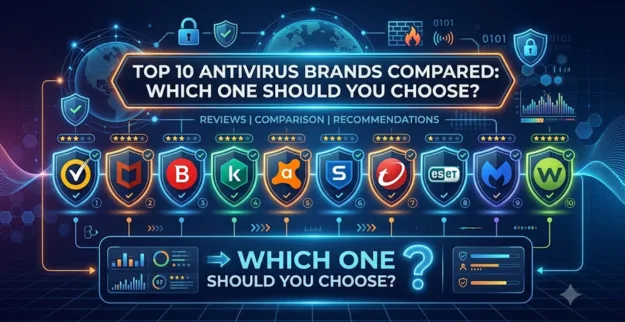
Top 10 Antivirus Brands Compared: Which One Should You Choose?
Introduction
Cyber threats are getting more advanced every day, which makes dependable antivirus protection kind of essential for businesses of all sizes. Picking the best antivirus software really helps safeguard your devices, your business data, and also the network from malware, ransomware, and these cyberattacks that keep showing up.
Why antivirus really matters
- ♦ It keeps your business from falling into viruses, malware, and ransomware stuff.
- ♦ It safeguards sensitive information, both customer and company data.
- ♦ It blocks access that’s not supposed to happen to business devices.
- ♦ It cuts downtime that comes from cyberattacks, in a very direct way.
- ♦ It also supports secure remote and hybrid work settings.
- ♦ Not just “kind of” but actually helps.
- ♦ It strengthens endpoint security across every device you use.
- ♦ It helps meet cybersecurity compliance needs, so you don't end up scrambling later or anything like that.
- ♦ It catches threats in real time before they get the chance to spread much farther, too.
Top 10 Antivirus Brands
1. Bitdefender
Really solid malware detection, with some advanced endpoint security things, not too heavy on the system usually.
A good pick for companies that need serious protection but still want minimal system impact, sort of light on resources.
2. Kaspersky
Provides strong threat detection along with ransomware protection that feels quite thorough.
Works well for businesses that want a wide set of security features, like comprehensive coverage across the board, without too much fuss.
3. Norton
Offers real-time defense against viruses plus phishing tricks.
Also tucks in extra privacy protections, and identity shielding tools, you know the kind.
4. McAfee
Helps guard more than one device from a single control center, or console.
Comes with firewall features, web defense, and a safer browsing mode too.
5. ESET
Antivirus that is lightweight yet offers robust malware detection.
Great option for businesses requiring quick system performance.
6. Trend Micro
Solid barrier against ransomware and email hazards.
It leans AI-driven threat detection, so the protection is better, you know, more tuned in.
7. Sophos
Built for business settings with centralized management in place.
It provides upgraded endpoint safety plus network defense, pretty steady overall.
8. Microsoft Defender
Integrated into Windows with ongoing security updates.
Ideal for companies that use Microsoft for business solutions.
9. Avast
Simple to use, with robust real-time threat protection.
A solid choice for small businesses operating on tight budgets.
10. CrowdStrike
A security platform delivered via the cloud, featuring advanced threat intelligence.
Perfect for businesses needing advanced endpoint security.
Feature Comparison
| Antivirus Brand | Malware Protection | Ransomware Protection | Endpoint Security | Cloud Management | Best For |
|---|---|---|---|---|---|
| Bitdefender | ⭐⭐⭐⭐⭐ | ⭐⭐⭐⭐⭐ | ⭐⭐⭐⭐⭐ | Yes | All businesses |
| Kaspersky | ⭐⭐⭐⭐⭐ | ⭐⭐⭐⭐⭐ | ⭐⭐⭐⭐ | Yes | SMBs |
| Norton | ⭐⭐⭐⭐ | ⭐⭐⭐⭐ | ⭐⭐⭐⭐ | Limited | Small businesses |
| McAfee | ⭐⭐⭐⭐ | ⭐⭐⭐⭐ | ⭐⭐⭐⭐ | Yes | Multi-device businesses |
| ESET | ⭐⭐⭐⭐⭐ | ⭐⭐⭐⭐ | ⭐⭐⭐⭐ | Yes | Fast performance |
| Trend Micro | ⭐⭐⭐⭐⭐ | ⭐⭐⭐⭐⭐ | ⭐⭐⭐⭐ | Yes | Email security |
| Sophos | ⭐⭐⭐⭐⭐ | ⭐⭐⭐⭐⭐ | ⭐⭐⭐⭐⭐ | Yes | Medium & large businesses |
| Microsoft Defender | ⭐⭐⭐⭐ | ⭐⭐⭐⭐ | ⭐⭐⭐⭐ | Yes | Windows environments |
| Avast | ⭐⭐⭐⭐ | ⭐⭐⭐ | ⭐⭐⭐ | Limited | Budget-conscious businesses |
| CrowdStrike | ⭐⭐⭐⭐⭐ | ⭐⭐⭐⭐⭐ | ⭐⭐⭐⭐⭐ | Yes | Enterprise organizations |
How to pick the best antivirus software
Step 1
Try to pin down how many computers, laptops, and servers need that kind of protection, not just the ones you notice right away.
Step 2
Pick an antivirus program that has solid endpoint security, something that covers the whole device, not only the basics.
Step 3
Then compare the ways they handle ransomware, malware and phishing, like what’s actually included, and how well it blocks all that.
Step 4
Check for centralized control if you’ve got more than one user, because juggling it manually can get weird fast.
Step 5
Check whether it fits with your current IT setup, like does it match what you already have running, and stuff.
Step 6
Think about using cloud-based management, because it tends to make administration easier and less fussy, overall.
Step 7
Do a real comparison of pricing, licensing, and technical support; don't just glance at one side and call it done.
Step 8
Work with a seasoned IT service provider for deployment and continued management, so you’re not stuck handling every single detail alone.
Final Recommendation
- ♦ Bitdefender is a top-tier comprehensive antivirus solution for businesses.
- ♦ Sophos is perfect for businesses that need advanced endpoint security.
- ♦ CrowdStrike is advised for cybersecurity at the enterprise level.
- ♦ Microsoft Defender performs effectively in environments based on Microsoft platforms.
- ♦ The most suitable antivirus software varies based on your business size, IT setup, and security needs.
Conclusion
Picking the proper antivirus solution is one of those kinds of crucial things in safeguarding your business against current cyber threats. Try to compare the features carefully, and maybe look twice, because you want dependable coverage that keeps your systems safe, while your day-to-day operations run without hassles.