Virtualization vs Physical Servers: Which IT Infrastructure Is Right for Your Business?
Introduction:
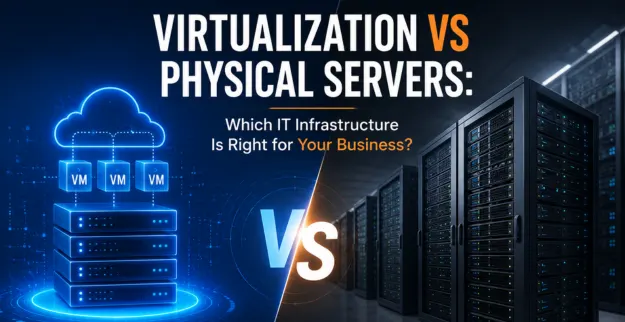
Choosing between a Physical Server and a Virtual Server kind of depends on how big your business is, what workload you run, what your budget looks like, and where your IT needs are going next. Getting clear on the whole Virtualization vs Physical Servers side helps companies pick up the right infrastructure for steady performance and smoother growth, without too much stress.
Physical Servers:
A physical server is basically a dedicated machine where apps , databases , shared stuff like files, or whole business systems run right on the hardware. It tends to offer dedicated resources, and it works well for workloads that need stable, consistent performance.
Virtualization Servers:
Server Virtualization lets one physical server handle many Virtual Servers at once using a hypervisor, kind of like it can juggle workloads better, and it. helps businesses use their hardware resources more efficiently while also cutting back on the need for too many separate physical machines.
Virtualization vs Physical Servers: Comparison
| Feature | Physical Server | Virtual Server |
|---|---|---|
| Hardware | Dedicated hardware | Shares physical hardware |
| Cost | Higher hardware cost | Lower infrastructure cost |
| Resource Usage | Resources dedicated to one server | Resources can be shared |
| Scalability | Requires additional hardware | Easier to scale |
| Management | Hardware-focused management | Centralized management |
| Backup & Recovery | Can require more planning | Easier with virtualization tools |
| Best For | High-performance dedicated workloads | Multiple applications and workloads |
Advantages & Disadvantages:
Physical Servers:
Advantages
- ♦ Dedicated processing and memory mean you get the same capacity, each time.
- ♦ Consistent performance, even under heavy load, feels steadier day to day.
- ♦ Suitable for demanding applications where latency, and throughput matter.
- ♦ No virtualization layer, so there is no extra abstraction sitting in between.
Disadvantages
- ♦ You might face a higher hardware investment, and in practice it can feel like paying up front more than expected
- ♦ It requires more physical space, which can be annoying depending on your setup.
- ♦ Hardware maintenance can be costly, especially if you must deal with extra upgrades
- ♦ Scaling may require new servers, and sometimes additional equipment too.
Virtual Servers:
Advantages
- ♦ There’s better hardware utilization; basically, you get more out of what you already have.
- ♦ You also end up with lower hardware requirements, which feels very practical.
- ♦ Creating and managing servers becomes easy and kind of breezier, not as much hassle.
- ♦ Resource allocation is more flexible; you can adjust things without much fuss.
- ♦ And in a sense, it supports easier disaster recovery, because restoring services are less of a pain.
Disadvantages
- ♦ It really depends on the physical host server it uses, so if that host gets stressed, the whole setup feels like it.
- ♦ You also need virtualization expertise, otherwise it’s like trying to steer without sight, at least that is what usually happens.
- ♦ Multiple virtual machines can be impacted by host issues, even if only one component is acting up, which is kind of annoying.
- ♦ And the performance depends on how resources are allocated, including CPU memory, and I/O, so it’s not totally predictable.
Business Use Cases:
Physical Servers
A Physical Server can be quite suitable for:
- ♦ Construction companies run resource-heavy applications, or at least when they need steadier throughput.
- ♦ Businesses handling dedicated database loads, basically no surprises.
- ♦ Specialized software that wants direct hardware access rather than some abstract layer.
- ♦ Applications that demand predictable performance, not fluctuating, not “maybe later”.
Virtual Servers
A Virtual Server can kind of be suitable for:
- ♦ Small and medium sized businesses
- ♦ Companies that run multiple business apps
- ♦ Development, and testing environments
- ♦ File, application, and database server consolidation
- ♦ Businesses planning for a more flexible IT infrastructure.
Constraints:
Physical servers
- ♦ You pay a higher upfront investment; you know more capital at the start.
- ♦ There is limited flexibility once business requirements start changing, and that can be annoying.
- ♦ They need physical space and also power, plain and simple.
- ♦ And if hardware fails, you might get downtime, especially if redundancy is not set up properly.
Virtual Servers
- ♦ They need a reliable physical host, or at least something that behaves like one.
- ♦ Bad or incorrect resource allocation can subtly, and then not so subtly, affect performance.
- ♦ They usually require skilled virtualization management, otherwise you end up chasing issues.
- ♦ If the host-level fails, it can impact multiple virtual machines at once, even those you thought were isolated.
Conclusion:
There isn’t just one fix that fits every company, when you’re weighing virtualization vs physical servers. The best call really hinges on what you run, like the workload, what you can spend, how fast you need to grow, how much performance you actually need, and what kind of IT support you have on hand.