Windows 365 and Cloud PC: What You Need to Know
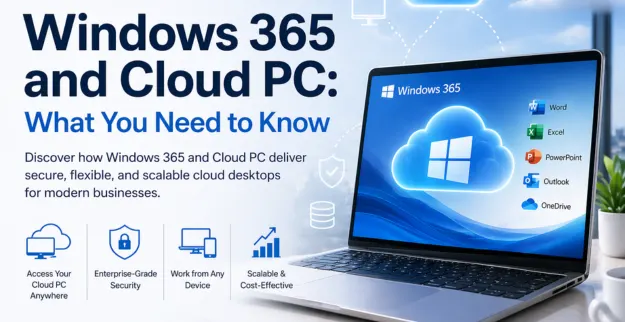
Introduction:
As businesses proceed with their digital transformation process, Windows 365 and Cloud PC and Microsoft cloud desktop services have become mandatory for business requirements. The technologies enable users to access their desktop computers and stored files and installed software applications from any location which simplifies remote work and business operations during emergencies. The use of virtual desktop solutions and Office 365 cloud services requires users to learn Windows 365 functionality, which will lead to better security outcomes and increased work efficiency.
What is Windows 365?
Windows 365 serves as a Microsoft cloud service which enables users to access their complete Windows operating system through cloud streaming to any device they choose. The system operates as an online personal computer which enables users to access their applications and documents and system preferences in a protected manner. Businesses needing flexible remote access capabilities will benefit from Windows 365 cloud PC because it delivers users a uniform experience across their different devices.
What is a Cloud PC?
A Cloud PC delivers virtual desktop access through cloud-based infrastructure which users can reach from any internet connection. The system requires no advanced computing equipment because all operations run through cloud processing. Microsoft cloud desktop solutions enable businesses to control their devices from a single point while they protect their data and expand their operations easily. The implementation of virtual desktop environments proves to be extremely effective for contemporary office environments.
What You Need to Know (Comparison Table)
| Feature | Windows 365 | Cloud PC |
|---|---|---|
| Definition | Microsoft’s cloud-based Windows desktop service | General term for virtual desktops hosted in the cloud |
| Provider | Microsoft | Multiple providers (Microsoft, AWS, etc.) |
| Setup | Easy and quick deployment | Can be complex depending on provider |
| Management | Fully managed by Microsoft | Requires IT management or third-party tools |
| Accessibility | Accessible from any device | Same, but varies by platform |
| Integration | Seamless with Office 365 cloud | Depends on provider and tools |
| Security | Built-in Microsoft security features | Varies by service provider |
| Scalability | Highly scalable | Scalable but may require configuration |
Windows 365 Benefits
- ♦ Businesses can easily set up and deploy this system.
- ♦ The system enables users to work seamlessly with Office 365 cloud tools.
- ♦ The system provides users with secure access to their files and applications.
- ♦ The system delivers a uniform desktop experience which users can access from multiple devices.
- ♦ The system functions as an ideal solution for remote workers and employees who work in hybrid environments.
Benefits of Cloud PC
- ♦ The service decreases the need for actual hardware equipment.
- ♦ The system provides infrastructure which can adapt to the changing needs of users and their business operations.
- ♦ The system enables organizations to handle all their management tasks together with software updates from a single location.
- ♦ The solution provides cost benefits to expanding commercial enterprises.
- ♦ The system allows users to access protected virtual desktop environments from any location.
Use Cases of Windows 365
- ♦ Remote workforce and hybrid office setups
- ♦ Its solutions which require basic operation from small and medium businesses
- ♦ Companies using Microsoft ecosystem tools
- ♦ Employees who work from various locations need to have secure access to company resources.
Use Cases of Cloud PC
- ♦ Large enterprises operate complex IT systems.
- ♦ Development teams need testing environments.
- ♦ Organizations which need virtual desktop solutions that can grow with their needs.
- ♦ Companies which operate from different locations contact multiple teams.
Conclusion:
The combination of Windows 365 and Cloud PC solutions enables businesses to operate their work through flexible methods which provide both secure systems and scalable resources. The Cloud PC solution enables organizations to customize their systems beyond the basic needs which Windows 365 delivering as a complete managed service. Microsoft cloud desktop and virtual desktop solutions enable businesses to boost their productivity while maintaining their market position in the current digital environment.